

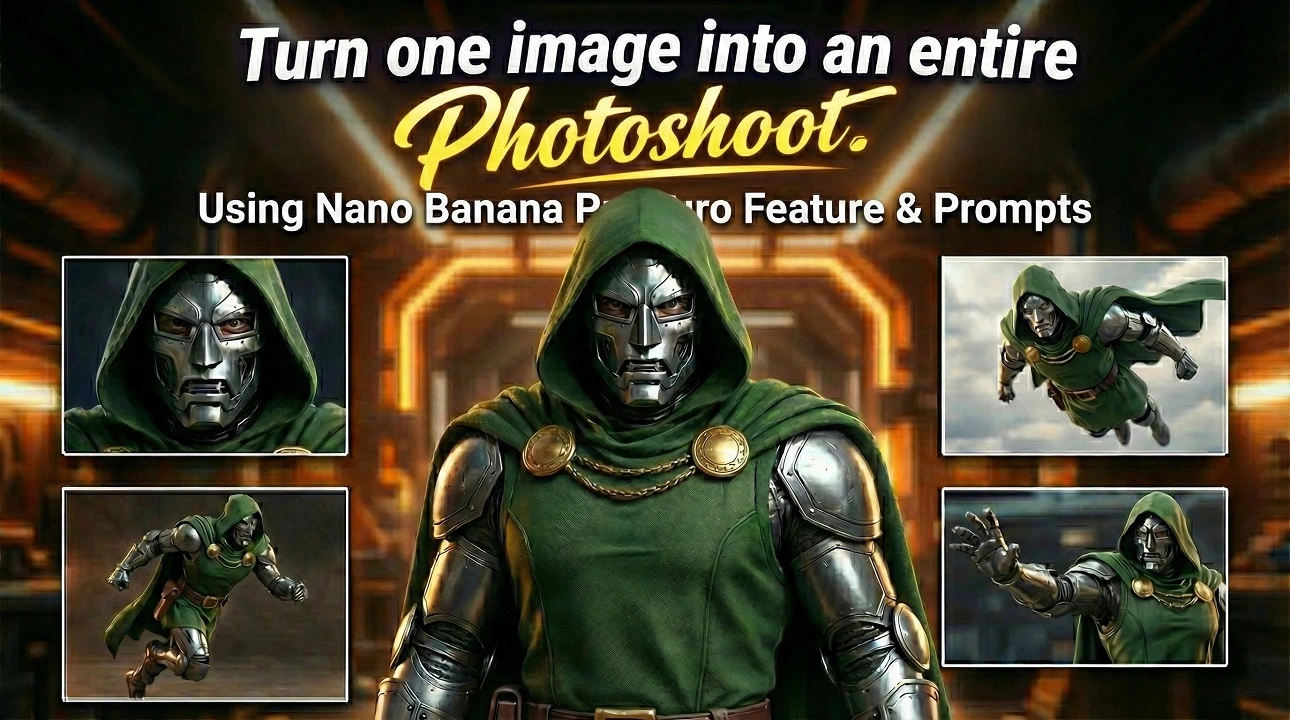
Google Gemini Nano Banana Pro Photoshoot feature turns a single photo into a complete AI photoshoot. Step-by-step guide, prompts, use cases, and official sources.
Google Gemini Nano Banana Pro Photoshoot: Turn One Image Into a Complete AI Photoshoot
One Photo, Endless Possibilities
Google just quietly dropped one of the most powerful AI image editing features of 2025 — and creators are already calling it a game changer.
Through an official post on X (Twitter), Google Gemini revealed how users can now turn a single image into an entire professional photoshoot using Gemini Nano Banana Pro. With simple prompts, you can change camera angles, lighting, lens type, mood, environment, and composition — all while keeping the same subject and identity consistent.
This isn’t just image editing.
This is AI-powered visual storytelling.
Whether you’re a content creator, brand owner, fashion model, marketer, or AI artist, this feature allows you to generate an album-style photoshoot from one image — legally, cleanly, and with stunning realism.
What Is Google Gemini Nano Banana?
Nano Banana is Gemini’s advanced image reasoning and visual editing engine, designed to understand depth, subject consistency, lighting physics, and camera behavior.
Unlike traditional AI image tools that “re-imagine” your subject every time, Nano Banana Pro maintains identity, making it perfect for:
- Fashion shoots
- Personal branding
- Product photography
- Social media content
- AI influencers
- Marketing creatives
Why This Gemini Nano Banana Pro Photoshoot Feature Is Trending?
The feature Gemini Nano Banana Pro Photoshoot is trending because it solves three massive creator problems at once:
1. No Need for Re-shoots
One image = unlimited variations
No studio, no camera, no crew
2. Identity Lock (The Big Deal)
Your face, pose, outfit, and subject stay consistent
No random face changes like older AI tools
3. Professional-Grade Control
You can control:
- Camera lens (35mm, 50mm, 85mm)
- Lighting direction
- Mood & atmosphere
- Shooting angles
- Background environment
That’s why queries like:
- “Gemini Nano Banana photoshoot”
- “Turn one image into photoshoot AI”
- “Google Gemini image editing feature”
are spiking across Google and ChatGPT searches..
How the Gemini Nano Banana Photoshoot Feature Works
Here’s the simplified workflow:
Step 1: Upload One High-Quality Image
- Clear face
- Good lighting
- Neutral pose works best
Step 2: Use Descriptive Prompts
You describe:
- Camera angle
- Lighting style
- Lens type
- Environment
This is the most revolutionary Gemini feature.
Top Trending: Top 10 Ways to Make Money with AI in 2026
Step 3: Generate One Image at a Time
Instead of returning text, Gemini generates a custom interface designed specifically for your query.
| Feature | Nano Banana Pro | Other AI Tools |
|---|---|---|
| Identity Consistency | ✅ Yes | ❌ Often breaks |
| Lens Control | ✅ Yes | ❌ Limited |
| Lighting Precision | ✅ Advanced | ❌ Basic |
| Album Workflow | ✅ Sequential | ❌ Random |
| Professional Output | ✅ Studio-Level | ❌ Mixed |
12 Professional Google Gemini Nano Banana Photoshoot Prompts
Use the following prompts one by one to turn a single image into a complete AI-generated photoshoot album using Google Gemini Nano Banana Pro.
Prompt 1: Studio Portrait (Base Shot)
Create a professional studio portrait from the original image. Neutral gray background, soft diffused lighting, 85mm lens look, sharp facial details, realistic skin texture, natural shadows, high-end photography style.
Prompt 2: Cinematic Side Angle
Generate a cinematic side-angle portrait using the same subject. 45-degree camera angle, dramatic rim lighting, shallow depth of field, 50mm lens aesthetic, moody atmosphere.
Prompt 3: Outdoor Golden Hour
Transform this image into an outdoor golden hour photoshoot. Warm sunlight, soft glow on skin, background bokeh, natural tones, DSLR photography realism.
Prompt 4: High-Fashion Editorial
Create a high-fashion editorial photo using the same subject. Minimalist background, bold lighting contrast, magazine-style composition, Vogue-inspired framing.
Prompt 5: Urban Street Style
Generate an urban street photography look. City background, natural daylight, candid pose feel, 35mm lens realism, lifestyle fashion shoot style.
Prompt 6: Luxury Indoor Portrait
Create a luxury indoor portrait. Soft ambient lighting, elegant environment, premium aesthetic, clean composition, high-resolution professional photography.
Prompt 7: Low-Light Dramatic Look
Generate a low-light dramatic portrait. Deep shadows, focused key light, cinematic mood, realistic camera grain, professional studio look.
Prompt 8: Creative Color Lighting
Create a creative portrait using soft colored lighting. Subtle neon tones, artistic mood, controlled highlights, studio photography style.
Prompt 9: Close-Up Beauty Shot
Generate a close-up beauty shot from the original image. Macro-style focus, ultra-sharp facial details, soft background blur, professional retouch quality.
Prompt 10: Black & White Classic
Convert this image into a timeless black and white portrait. High contrast, classic photography tones, film-style grain, emotional depth.
Prompt 11: Lifestyle Home Shoot
Create a casual lifestyle photoshoot indoors. Natural window light, relaxed mood, authentic composition, modern photography aesthetic.
Prompt 12: Final Album Hero Shot
Generate a final hero image for a photoshoot album. Perfect lighting balance, premium quality, editorial framing, ultra-realistic photography style.
Google Gemini Nano Banana Pro isn’t just another AI image update.
It’s a complete shift in how photoshoots are created.
One image.
Total creative control.
Professional results.
If you’re a creator, brand, or marketer — this is the moment to jump in early.
Sources & References (Verified & Trusted)
- Google Gemini Official X Post
Source: https://x.com/GeminiApp/status/2005699930103636336 - Google Gemini Product Announcements
Source: Google Gemini Official Channels
All sources listed above are publicly available, authoritative, and widely cited across the AI and technology industry.









Leave a comment